Now you have a mocap shot list of the actions you want to capture and you’ve figured out exactly how they need to be performed, the last thing to think about is how you’re going to capture them. Thinking about this now can help save valuable time during the capture session and minimise the amount…
How to plan a Motion Capture Shoot | Move Requirements
Once you have a list of actions to mocap, the next thing to do is write down everything you’ll need know in order to perform them. When you’re planning a mocap shoot, it’s really important you know everything you can about the actions you’re going to capture. From the character’s motivation to the size and…
How to Plan a Motion Capture Shoot | Creating a Move List
Planning is the key to any successful motion capture shoot. It really is the perfect example of “If you fail to plan, you are planning to fail!” So, to help you successfully plan your next mocap shoot, we’re going to start by looking at how to write a motion capture move list. What is a…
How to Realign Motion Capture
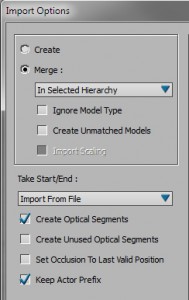
Motion capture may require realigning from it’s original capture position for a number of reasons; for instance the data may require aligning with the environment or to make it more compatible with a game engine or crowd simulation. There are a couple of different ways to realign a character in MotionBuilder: One uses the often…
How to Merge Characters in MotionBuilder
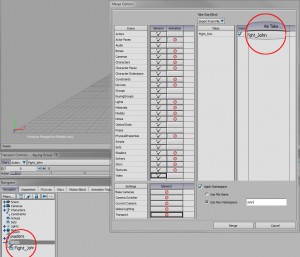
The issue people often have is, once they merge a second animated character into a scene, the original character stops moving. In this post I will explain how to merge two animated characters into the same take in MotionBuilder and hopefully prevent this from happening. Open the first file Open the first character file. File>>Open the first…
How to Create a Live Shadow in MotionBuilder
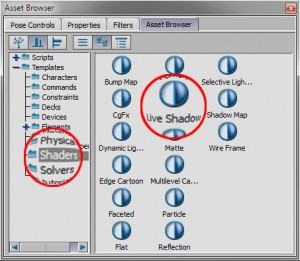
Adding a Live Shadow to a scene is a simple process which can help ground a character without the need for an environment. The live shadow can be added to an existing scene to make renders a little more interesting or to a scene ready for editing or using during a live motion capture session to…
Creating an In-Place Looping Animation in MotionBuilder
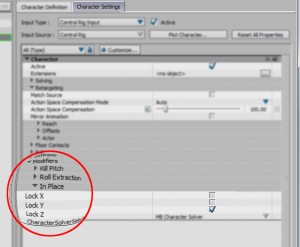
This tutorial is a follow on from Creating a Looping Animation in MotionBuilder, showing you how to edit a traversing animation like a walk or run so that it loops on the spot There are two ways to do this in MotionBuilder: Using In Place Mode on the Control Rig Deleting Key Frames in the FCurve…
MotionBuilder Pipeline
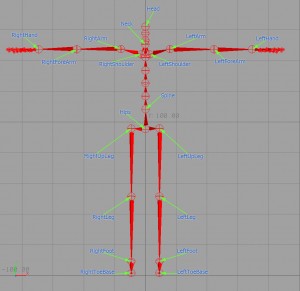
In this motionbuilder tutorial I will take you through the processes involved in preparing and exporting your character into motionbuilder and then importing your lovingly crafted animation back on to your character. Because of the many different possible combination of plug-ins and software versions I will try to make this tutorial as generic as I…
Creating a Looping Animation In MotionBuilder
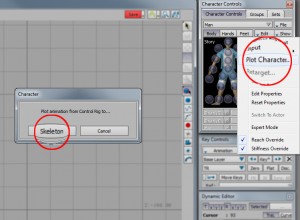
In this post I will take you through the processes required to create a walk cycle from motion capture data. I have provided an explanation and possible work flow suggestions at each stage of the process. Hopefully this will enable you to create not only a beautiful walk cycle, but also help you understand some…
How to Characterize your Character in MotionBuilder
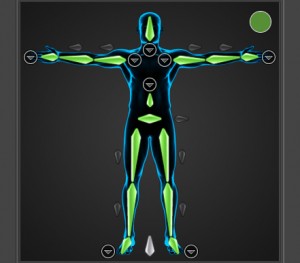
In this tutorial you will learn how to successfully characterize your character in MotionBuilder. Before you can begin using the character animation features in MotionBuilder you need to Characterize your character. The process involves 3 main steps: 01 Put the Character in a T-Pose Aligning your character in the correct T-Pose (T-Stance) is the most important…